20 Grok Bot templates
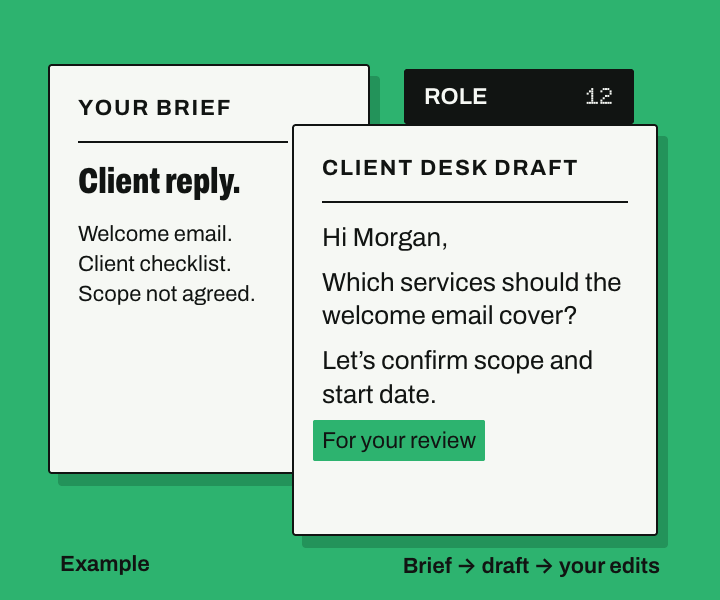
Each role starts with instructions for a particular kind of work. Use Client Desk for a reply, Proposal Writer for a proposal, or Copywriter for marketing copy. Add the other roles as you need them.
See all 20 roles →Your Grok Bot team
Staff of Agents gives you 20 Grok Bot role templates for client replies, proposals, marketing copy, research and business planning. Choose a role and give it the notes you already have.
Grok Bot account and usage costs are separate.
Each role starts with instructions for a particular kind of work. Use Client Desk for a reply, Proposal Writer for a proposal, or Copywriter for marketing copy. Add the other roles as you need them.
See all 20 roles →Follow the setup steps, choose a first task and learn how to move a draft between roles. The guide also lists every role so you can find the one you need.
Copy the guide’s briefs for client replies, proposals, marketing copy and research, then add your facts. Try the fictional Morgan example before using real business information.
Open Client Desk from your kit. Run the practice example. Then give it a small job from your own list, with confirmed facts and a clear request.
You check the result, make the final edits and decide what to send. These templates don’t automatically send, publish or pass work between roles.
14-day refund
If it isn’t right for you, request a refund within 14 days of purchase. Email hello@staffofagents.com with your order details.
20 role templates and the 18-page guide. One Staff of Agents payment.
You’ll need your own Grok Bot account and app. Account and usage costs are separate.
Read the questions →